All About Our 3D Builder Tool
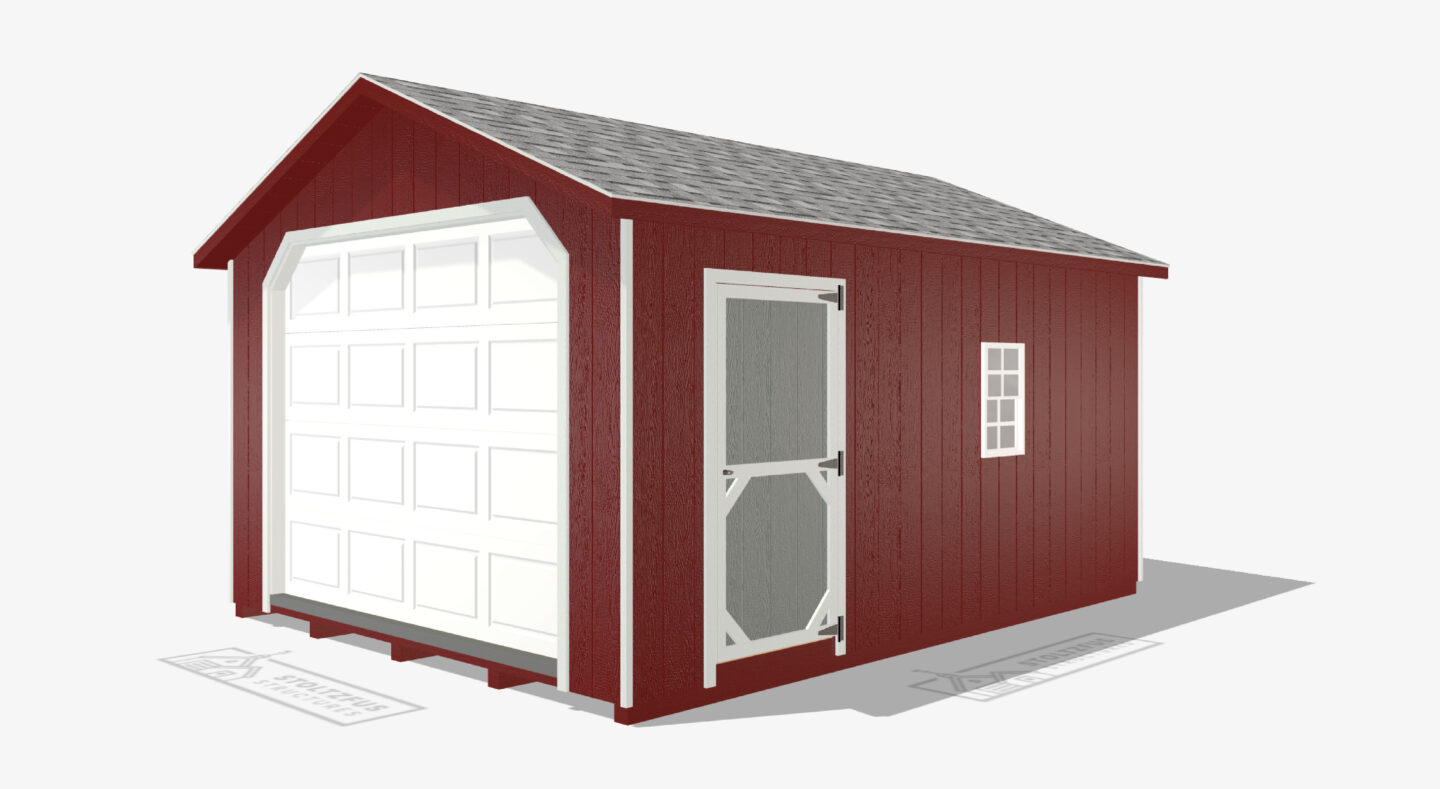
Visualizing what your structure will look like without seeing it with all the upgrades and customizations can be difficult. Using our 3D Builder will make not only the ability to visualize your structure easier, but also the quoting and ordering process as well. With the ability to test out colors, interior styles, and more, the 3D builder is a great tool to create different options and get quotes on your exact design from our sales team.
What Is The 3D Builder & How Do You Use It?
To locate the 3D Builder, find our website’s navigation section (where all our product categories are listed) and select “3D Visual Builder”. The 3D Builder is a tool that you can use to visualize your dream structure, see what upgrades are available, test out colors, sizes, interior details, and tons more. The best aspect of this builder is that you can submit your design to our sales team, which will be explained further below.
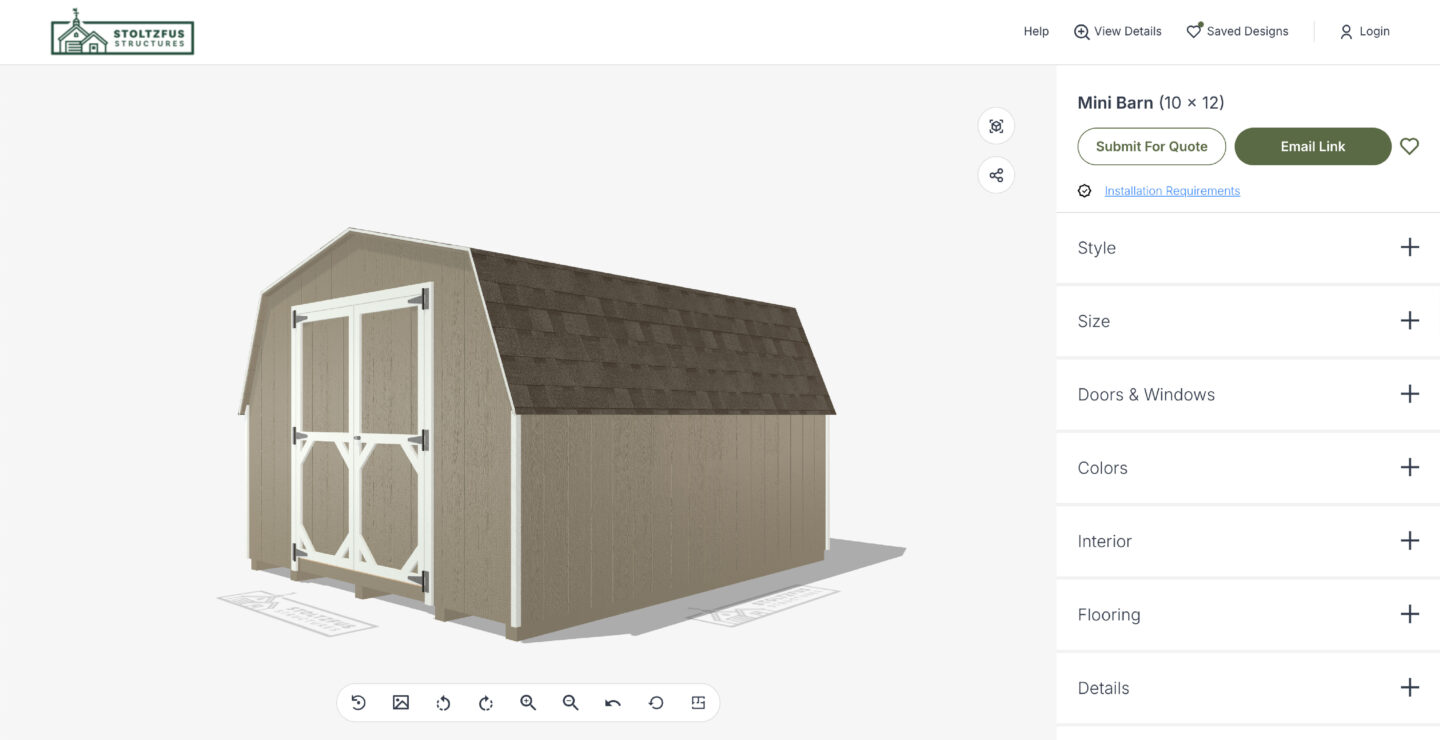
The 3D Builder offers tons of customizations for several structures, but all customizations are based on the structure you chose. This means that when building a shed or garage, you may have different options than when you are customizing a pool house or greenhouse. These customization categories are on the right side of the 3D Builder and include style, size, doors and windows, colors, interior, framing, and details. The style category deals with the structures and possible roofing and siding materials that can be customized on the 3D Builder, and the next category, size, will adjust the sizes based on which structure you select. Doors and windows can be selected and moved around the structure to see where they would fit best.
The most fun customization category, colors, allows you to choose several color options for the siding, trim, shingles, doors, window frames, and shutters, depending on the structure chosen. Interior styles have a few options, like a workbench or shelves, while flooring has default options and a bit of customization to look through. You can view the specifics of your build under the details category on the right side, or in the top section to see what features are included in your structure. When adding windows, doors, workbenches, etc., you can move them to where you would like them placed on the structure. You can also zoom in and out and move the structure around using your cursor or finger, if on mobile, to see the sides, front, back, and even top of the structure.
Let’s Build Some Structures!
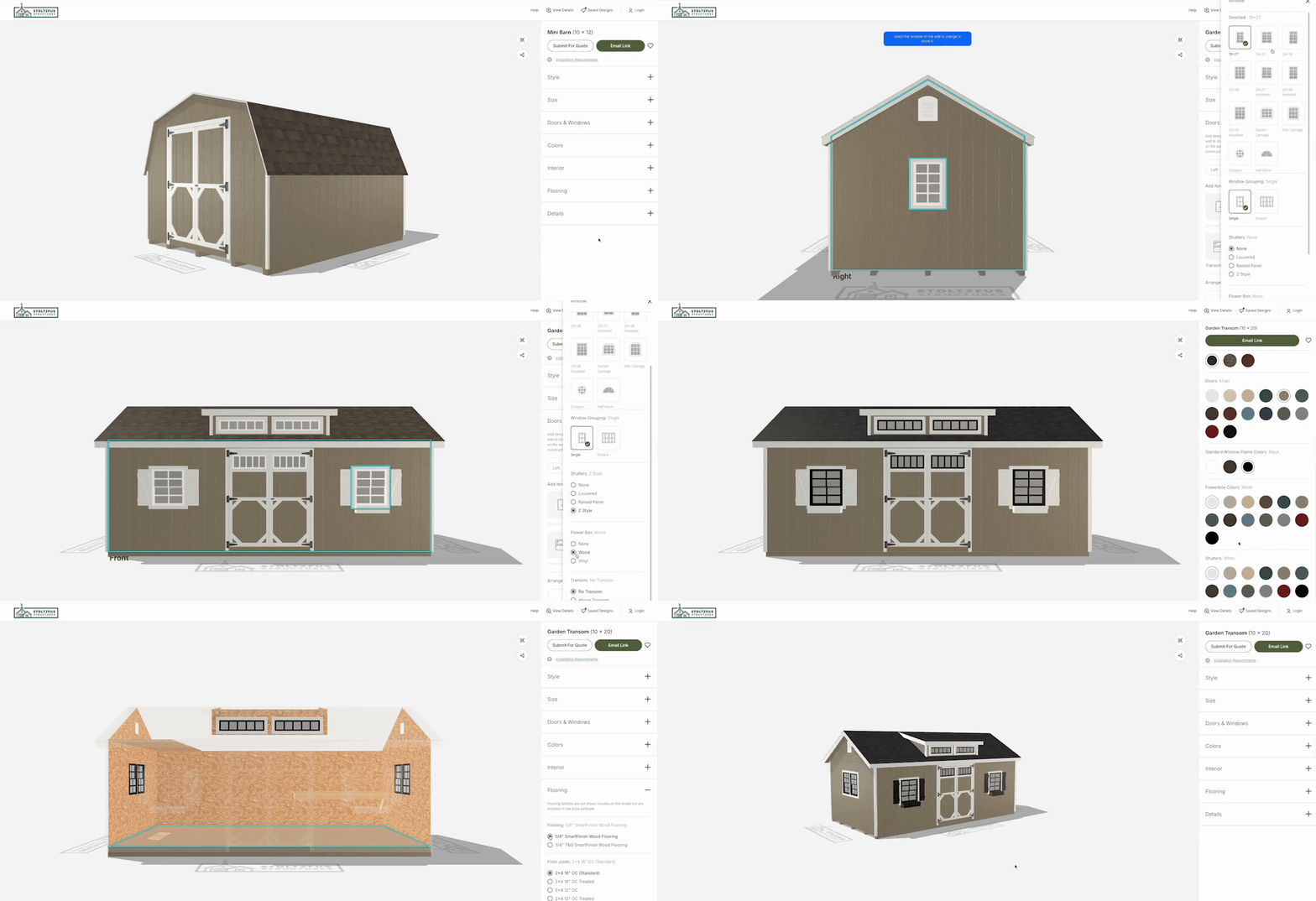
These video walkthroughs will show you how the 3D builder works and what customizations you can make to various structures. The possibilities are endless, from the abundance of color combinations, structure types, styles, and layouts. The first structure below is a Garden Shed, with the following customizations (in order of selection): Garden Transom Shed, LP Smartside siding, architectural shingles, 10×20, double windows on the left and right side, wooden flowerboxes on the front windows, khaki siding, white trim, dual black shingles, khaki doors, black window frames, black flowerboxes, black shutters, 4′ loft on left gable, 8′ workbench on right, 5/8″ SmartFinish wood flooring, and 2×4 16″ OC floor joists.
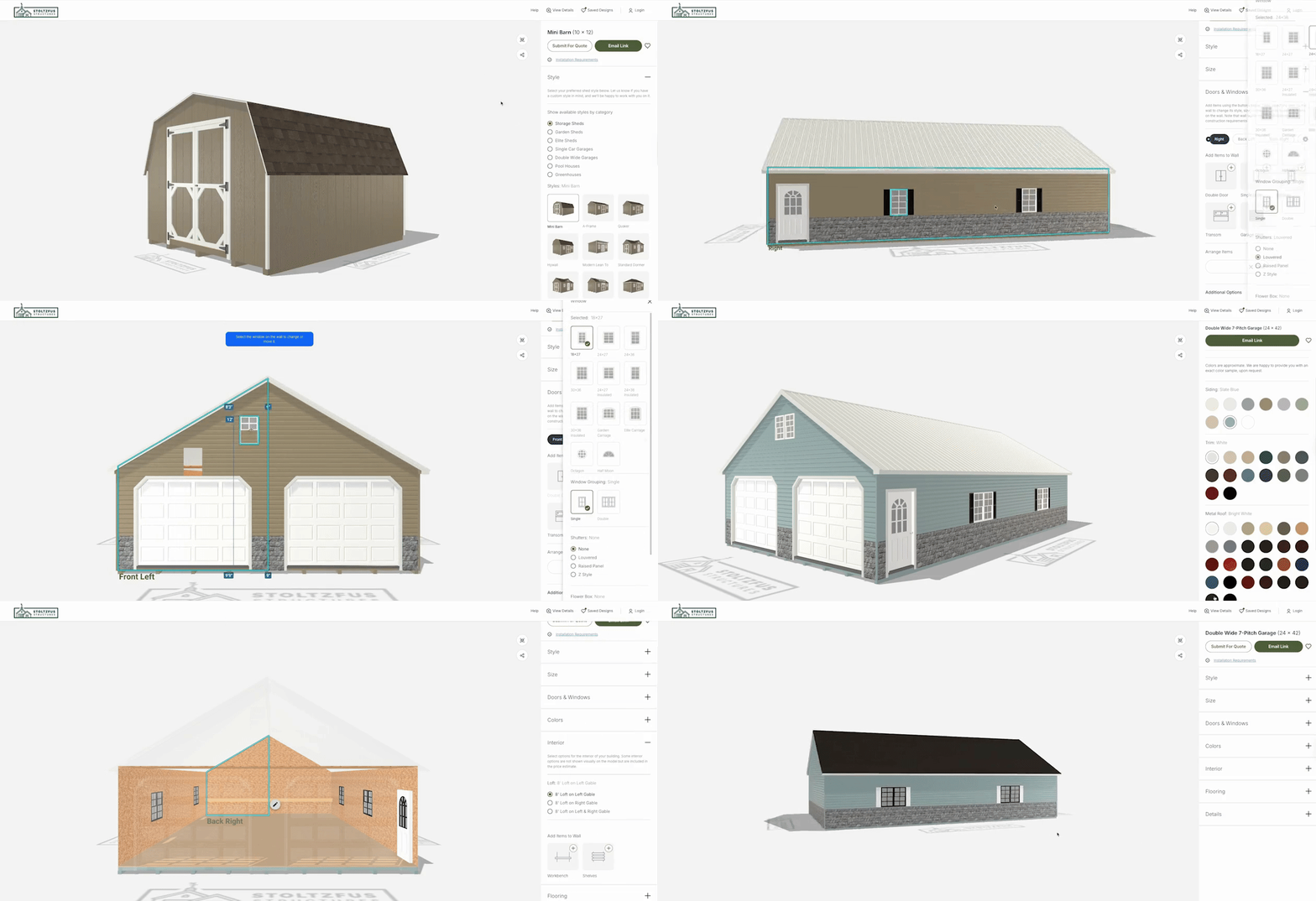
This next structure is a Double-Wide Garage, with the following customizations (in order of selection): Double-Wide 7-Pitch Garage, Cedar Creek vinyl siding, metal roof, vinyl stone veneer on all sides, 24×42, 24×36 double windows on the left and right side, 18×27 window on the left and right front side, slate blue siding, white trim, textured charcoal roof, black window frames, white shutters, 12′ workbench on the left and right interior back walls, 8′ loft on the left and right gable, 3/4 T&G SmartFinish wood flooring, and 2×4 8″ OC floor joists.
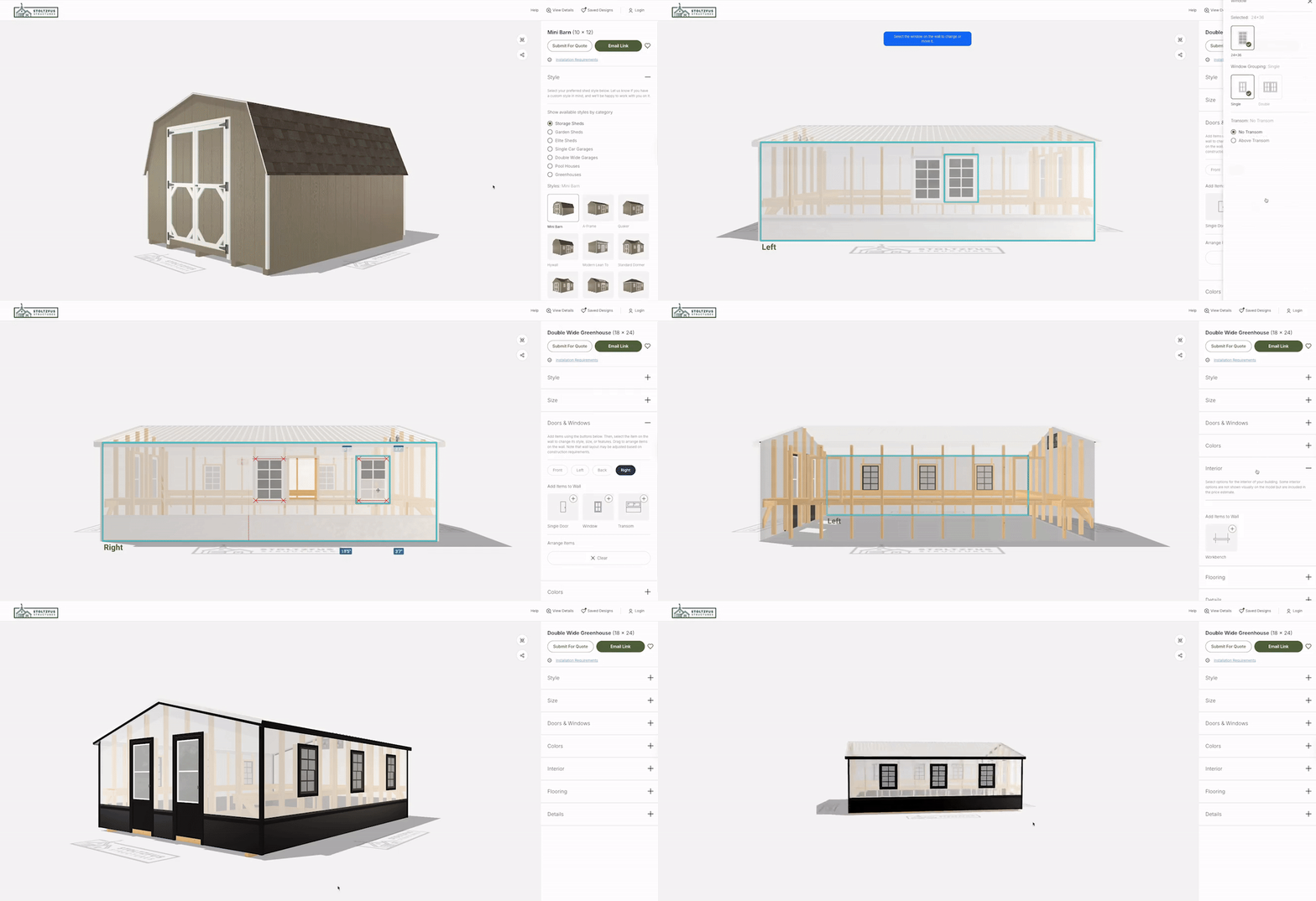
This final structure is a Greenhouse, with the following customizations (in order of selection): Double-Wide Greenhouse, electrical package, water misting system, 18×24, three 24×36 windows on the left and right side, black color, and pressure-treated 2×6 flooring.
What Happens Next?
Once you are happy with your 3D design, you can click “Submit for Quote” to get pricing and more details from our sales team. A pop-up form will appear, asking for contact information, location, and a few more questions for us to see where you are in the ordering process. You will receive final pricing from the sales team once you submit for a quote, as some customizations and locations will need to be accounted for when giving a price.
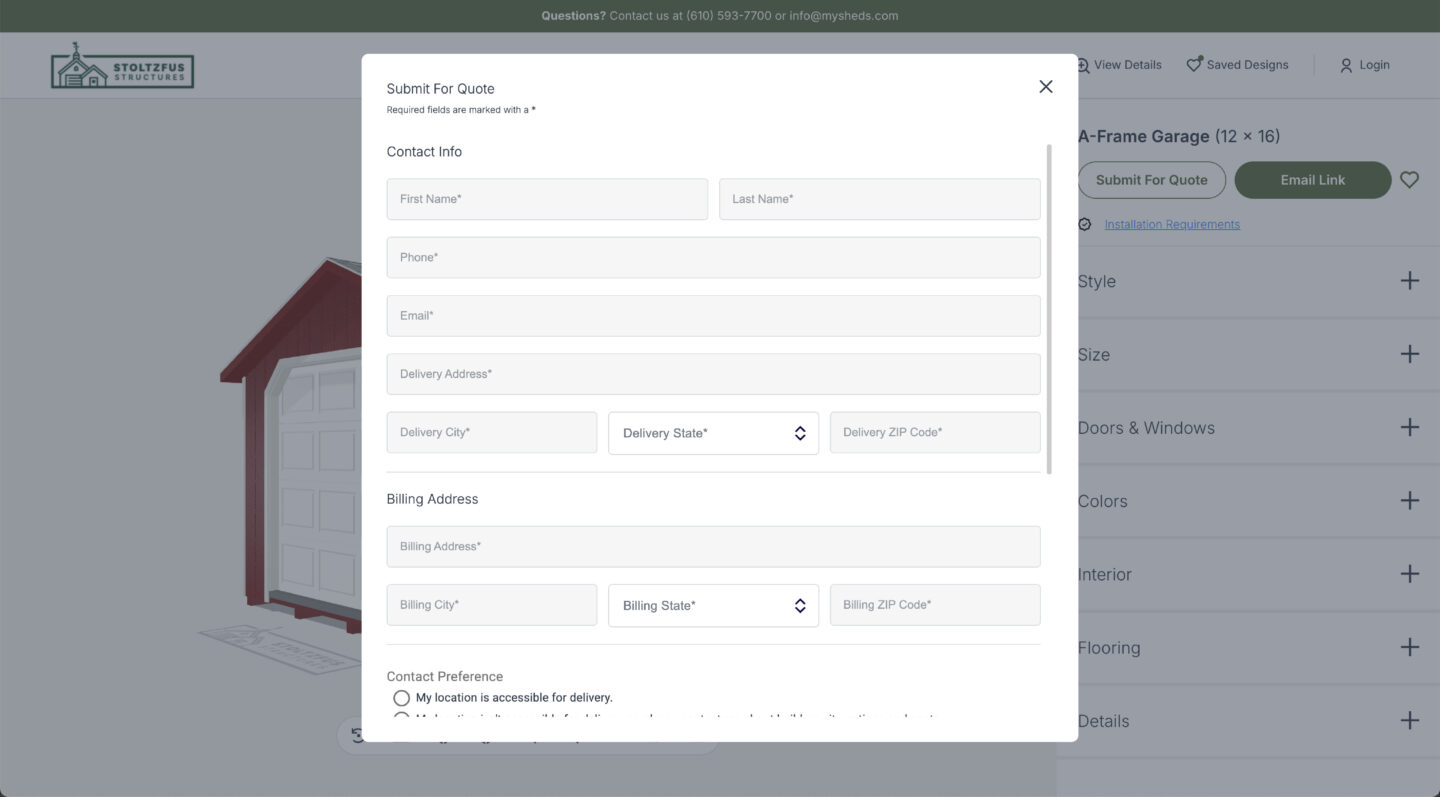
You can also send your design to yourself so you can look back at it. Clicking “Email Link” will send your 3D structure in various angles, details, and a floor plan for your design to your email. To save your design, click the heart next to “Email Link”, and it will add this customized structure to your saved designs. Our sales team is always excited to get started on a new project, and the 3D builder tool helps them understand your vision before connecting with you, making the process faster and ensuring your final structure is perfect.
Inspiration For Your Builds
If you are struggling with the 3D builder customizations, by having too many ideas or not enough, check out our Featured Projects to see some of our favorite client projects. You’ll see everything from Sheds to Garages, Pool Houses, Greenhouses, Outdoor Living, Outdoor Retreats, and more. If you are looking at a specific project on this page but aren’t sure how to build it in 3D, call our team – 610-593-7700 –, and we will help you create the perfect structure.
Start your 3D Design or Contact Us to find out more details and pricing for your dream structure.
 Jada Liney
Recently graduated from college, I take advantage of having more free time and spend those moments catching up on my love of reading, brainstorming ideas for design projects, and spending time with my family, friends, and furry companions. I have two Golden Retrievers that are complete opposites: one who has enough energy to run three marathons a day if he could, and the other who would be happy to stay in bed all day! I might relate a bit more to the latter, but am always up for an adventure.